![Dataro Logo Small.png]](https://support.dataro.io/hs-fs/hubfs/Dataro%20Logo%20Small.png?height=40&name=Dataro%20Logo%20Small.png)
What is a migration?
A migration is the process of moving your Dataro account from one CRM to another, or from one instance of a CRM to a new one. Your Dataro subscription continues without interruption. We reconnect Dataro to your new system, re-map your data, and carry your historical campaign tagging across so that your predictions and reporting stay continuous.
In practice, a migration follows the same shape as a new onboarding: connect, map, validate, and go live. One of the slowest parts of an onboarding is already behind you, because your campaigns are already tagged. What we need instead is a way to translate the identifiers from your old system, especially campaign IDs, over to the equivalent records in your new one. Any other services you have connected to Dataro (e.g. advertising platforms and email tools) are repointed at the same time.
Scoping and timeline confirmation
Before any technical work begins, we need a clear picture of your migration plan. Your Customer Success Manager will ask you to confirm four things:
- Your migration timeline. When do you expect to be live on the new system?
- Whether you are running a user acceptance testing (UAT) environment, or moving straight to your live environment. This affects when we can start work and how much we can validate before your cutover date.
- When we will have access to the new system's schema. Schema access lets us start data mapping before your data is fully loaded.
- When we will have access to your data in the new system. We need real data to complete the tagging migration and QA.
The earlier we have this information, the more work we can run in parallel, and the more closely the migration lines up with your go-live date.
Connecting Dataro to your new system
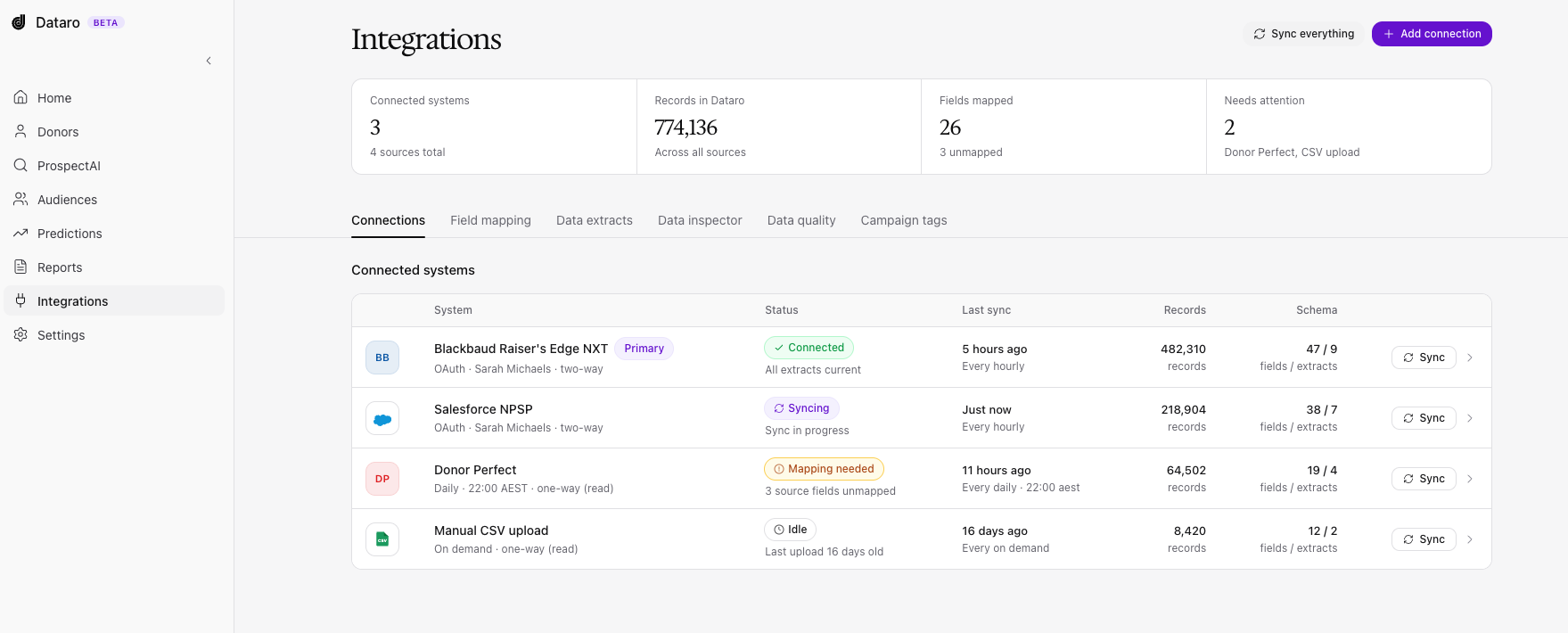
You connect Dataro to your new CRM once your new system is ready. This takes the same setup steps as a fresh onboarding: credentials, an integration user, and any configuration specific to that CRM. The knowledge base article for your CRM covers the exact steps.
Until this connection is live, we cannot review your schema or begin mapping, so this is usually the largest external dependency in a migration.
Data mapping
Once the connection is live, our team works through data mapping. How long this takes depends on how closely your new system follows the CRM's default schema:
- Default schema with minimal customization: around 1 day
- Heavily customized schema: up to a month
Pro tip: Send us the list of objects and fields you plan to use before the connection is live. We can pre-plan the mapping from that list, which shortens this stage considerably.
Campaign ID mapping, old to new
This is the step that exists only in a migration, and it is the one that most often determines whether your existing tagging can be carried over or has to be redone.
We need a way to match the campaign IDs in your old system to the campaign IDs in your new one. There are two clean options:
- A CSV mapping file from your team, with the old ID in one column and the new ID in the other, or
- A custom field on the campaign object in your new system that stores the old system's ID
With a clean mapping, we carry your tagging across and you do not need to re-tag anything. This is what makes a migration faster than a fresh onboarding. Without a mapping, your team will need to tag campaigns from scratch in the new system, which extends the timeline. It is well worth raising this with your migration partner early.
Tagging migration
Once we have the campaign ID mapping and full access to your data, the tagging migration takes approximately 1 day. This is the step where the historical tagging from your old system is applied to the equivalent campaigns in your new system.
QA and your review
QA runs in two parts:
- Our initial QA: 1 to 2 days
- Your review window: allow around 1 week to give us feedback
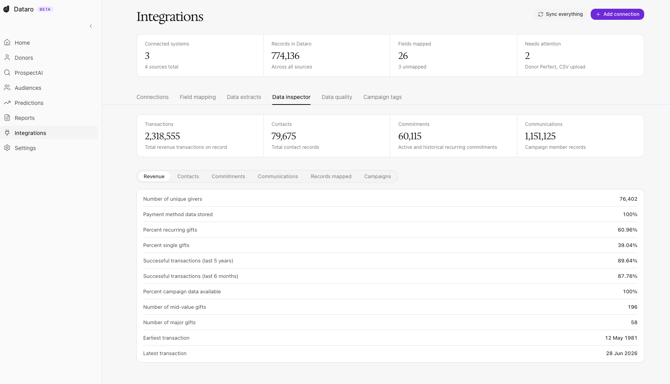
Our QA covers the same checks as a standard onboarding, including Data Inspector counts, campaign coverage, tagging completeness, and revenue totals. We also run migration-specific checks, such as confirming that campaign mappings line up and that historical predictions still make sense against the migrated data.
Pro tip: Review your campaign tags again a week or two after go-live. A CRM migration can re-code historical gifts or reshape campaign structures, and these changes are easier to correct when they are caught early.
Migrating connected services
Most organizations have other services connected to Dataro that also need to move across to the new system or to new accounts. We work through them one at a time:
- ProspectAI and other Dataro-managed services: these are managed on our side and are usually straightforward to repoint.
- Advertising integrations (e.g. Meta and Google Ads): these connect to Dataro directly rather than through your CRM, so we repoint the credentials for you. No action is needed from your team.
- Email integrations: tell us about these as early as possible. Email platforms vary, so we handle each one separately alongside the main migration.
Note: We build a checklist of every connected service at the start of your migration, so nothing is missed at cutover. If you have added a service recently, mention it during scoping.
What does Dataro need from you?
Most of the work in a migration sits with Dataro, and your day-to-day involvement is intentionally light: a few key inputs at the start, and a review at the end.
- Early notice. Tell your Customer Success Manager as soon as a migration is planned, even if your timeline is still loose.
- Your timeline. Your expected go-live date, and whether a UAT environment will be available.
- Access. A connection to the new system, and to UAT if you are running one.
- A list of the objects and fields you plan to use in the new CRM.
- A campaign mapping. Either a CSV file or a custom field carrying your old campaign IDs.
- A point of contact who can action permission, field, or configuration changes while we validate.
- Review time. Around a week to check the results before go-live.
How long does a migration take?
| Stage | Duration | Who does it |
|---|---|---|
| Connecting to the new system | Depends on your go-live date | You, with Dataro |
| Data mapping | 1 day to 1 month | Dataro |
| Campaign ID mapping | Depends on your CRM setup | You |
| Tagging migration | Around 1 day | Dataro |
| Initial QA | 1 to 2 days | Dataro |
| Your review | Around 1 week | You |
| Connected services | Varies | Dataro |
Frequently asked questions
When should we tell Dataro about a migration?
As early as possible, ideally as soon as you have chosen your new CRM. We can scope the work, pre-plan your data mapping, and often start against a UAT environment well before your go-live date.
Will our predictions be disrupted?
We validate historical predictions as part of QA before switching over, and we time the cutover to your go-live date.
Does our Dataro subscription change during a migration?
No. Your subscription continues as normal throughout.
What happens if we cannot produce a campaign ID mapping?
Your historical tagging cannot be carried across automatically, so your team will need to tag campaigns again in the new system. This adds time to the migration, so let your Customer Success Manager know as early as possible if a mapping will not be available.
What about data quality issues caused by the migration itself?
Some data change during a CRM migration is normal. Our QA checks are designed to catch issues such as re-coded gifts and shifted campaign structures, and we flag anything that could affect your models so it can be resolved before go-live.