Audience insights and donor alerts
Last updated: October 8, 2026
Every insight in Dataro is either an audience insight about a group of donors or a donor alert about one donor.
Dataro surfaces 13 insights each week. Five are audience insights, each built on one of Dataro's predictive models, and they describe a group of donors who are likely to do something next. Eight are donor alerts, each triggered by something one donor has just done, such as a record gift or a return after lapsing. Both kinds are listed in Action Tracking, grouped under Audience insights and Donor alerts.
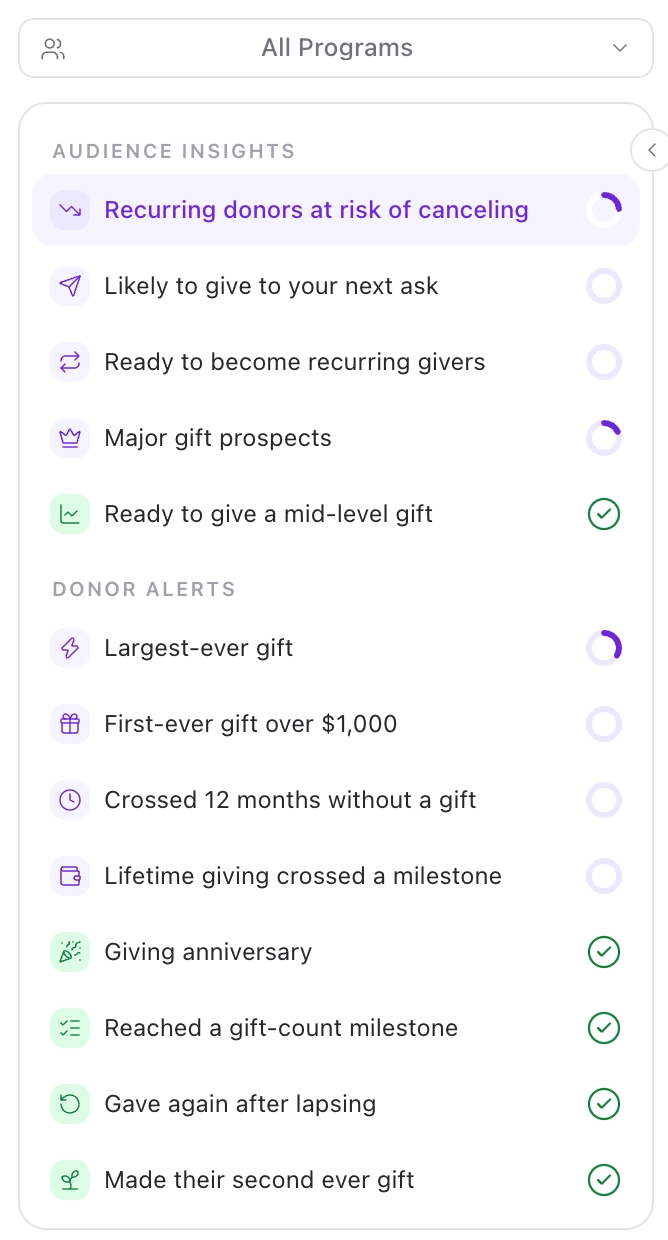
Audience insights
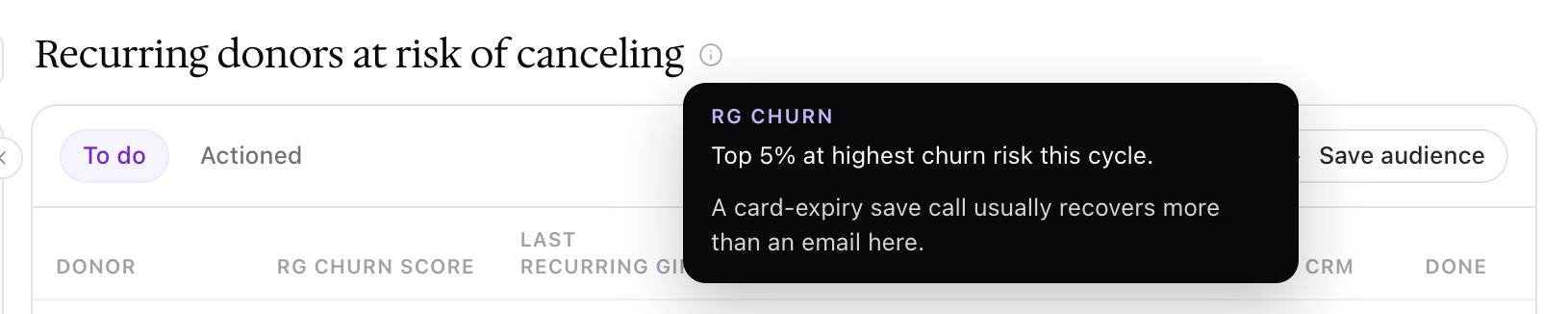
Each audience insight is a plain-language view of one of Dataro's propensity models. The model predicts a specific action, and it only scores the donors who are eligible for that action in the first place. The insight lists the donors the model ranks highest.
Audience insight | Model | Who it covers | Program |
|---|---|---|---|
Recurring donors at risk of canceling | RG Churn | The top 5% of recurring donors at highest risk of stopping this cycle | Regular giving |
Likely to give to your next ask | Direct Mail Appeal | The top 15% of donors by likelihood to respond to your next one-off ask | Appeals |
Ready to become recurring givers | Convert to RG | The top 8% of one-off donors by likelihood to start a recurring gift | Regular giving |
Ready to give a mid-level gift | Mid-Level | The top 10% of donors ready to give inside your mid-level band | Mid-level giving |
Major gift prospects | Major Giving | The top 5% of donors by likelihood to give above your major threshold | Major giving |
The Program column is the program the insight appears under when you use the All Programs filter in Action Tracking.
Because an audience insight is a group of donors, it is usually worked in bulk. We recommend saving it as an audience with Save audience and sending it to your CRM, your mail house, or your email tool.
Donor alerts
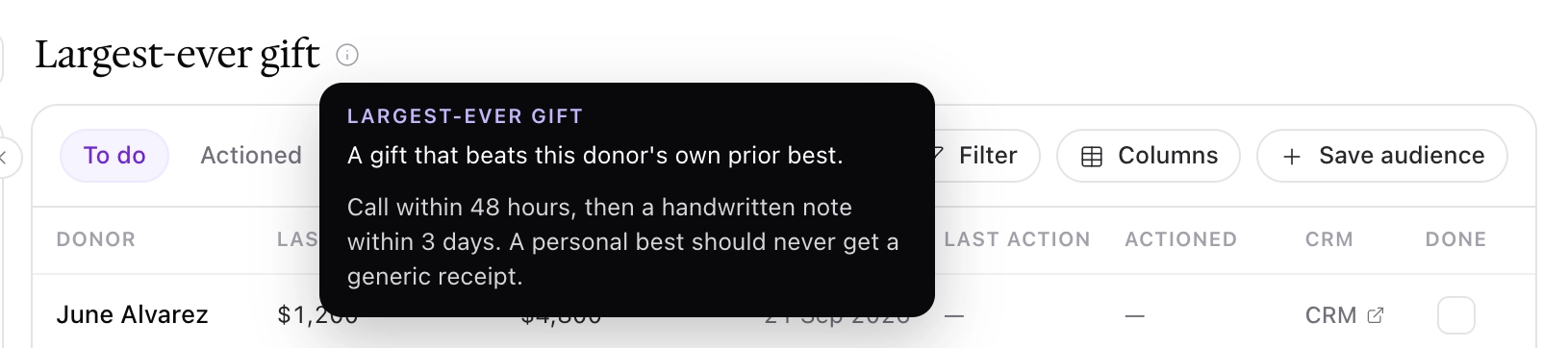
A donor alert fires because something specific has just happened to one donor. Each alert is a stewardship moment, and the response is usually a call, a note, or a personal thank you.
Donor alert | Fires when | What it is for | Program |
|---|---|---|---|
Largest-ever gift | A donor gives a gift that beats their own prior best | Acknowledge the step up specifically, not with a standard receipt | Major giving |
First-ever gift over $1,000 | A donor makes their first gift above your big-gift threshold | The earliest reliable signal of mid-level or major potential | Major giving |
Crossed 12 months without a gift | Twelve months have passed since the donor's last gift | A well-timed ask before the donor drifts further away | Appeals |
Gave again after lapsing | A lapsed donor gives again | Close the loop quickly so the return does not go unnoticed | Appeals |
Lifetime giving crossed a milestone | A gift pushes the donor's lifetime giving past a round number | Recognize the whole relationship, not just the latest gift | Everyday giving |
Giving anniversary | A round number of years has passed since the donor's first gift | A reason to make contact that is not an ask | Everyday giving |
Reached a gift-count milestone | A donor reaches a round number of gifts | Reward loyalty in donors whose gift sizes never trigger anything else | Everyday giving |
Made their second ever gift | A new donor makes their second gift | First-to-second gift is the hardest conversion in fundraising, and they just made it | Everyday giving |
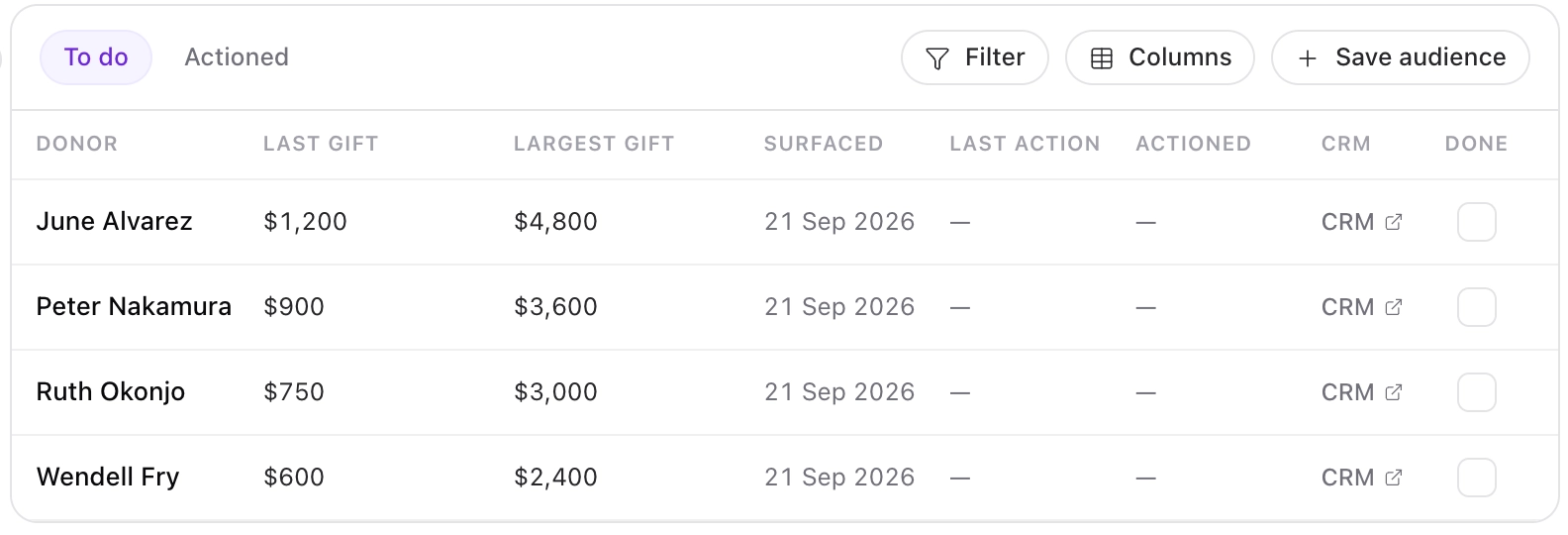
In Action Tracking, each donor alert is a table of every donor who triggered it this week, so you can see all of them at once and work down the list. We recommend acting on alerts promptly, because the value comes from the timing. A thank-you call for a record gift has more effect in the same week than two months later.
How donor names are handled
Alerts are about a named person, so two cases are handled explicitly:
No last name on file. The alert shows the donor's first name plus their donor ID in brackets, so you can still identify the right record.
No name at all. The alert is suppressed, because a stewardship alert with no name to act on is not usable.
If you see more donor IDs than you expect, we recommend checking the quality of your name data in your CRM.
Seeing the definition and a recommended next step
Hover over the information icon next to an insight's name in Action Tracking. For an audience insight it shows the model and which donors qualify. For a donor alert it shows the event. Both include a recommended next step, such as "Call within 48 hours, then a handwritten note within 3 days" for a largest-ever gift.
Frequently asked questions
Why is a donor I would ask for a monthly gift missing from Ready to become recurring givers?
Check their recurring history. Convert to RG only scores donors with no recurring giving history at all. A donor who gave monthly years ago and stopped is handled by RG Reactivation instead.
Are these the same models I use in Audiences and Predictions?
Yes. Audience insights use the same models, with the same scores and ranks you work with everywhere else in Dataro. Nothing about your predictions changes because an insight surfaced.
What counts as a mid-level or major gift for me?
Your own configured thresholds. The defaults are $500 to $4,999 for the mid-level band and $5,000 and above for major, and organizations with larger programs often set the major threshold at $10,000. Both models predict against your thresholds, not a sector average.
Can I set my own thresholds for milestones or big gifts?
Not yet. Every organization uses the same alert definitions today.
Why did an alert show a donor ID instead of a surname?
Because there is no last name on that record. The ID is there so you can find the right person in your CRM. Records with no name at all are suppressed rather than shown anonymously.
Can one donor appear in more than one insight?
Yes. Each model and each alert has its own rules, so a donor can qualify for more than one in the same week. Record what you did in each insight you act on, and the donor panel shows the history across all of them. See Working an insight for how we recommend sequencing the contact.
The model names here do not match what I see in my CRM. Which is right?
Model naming is being aligned so that Dataro, your CRM fields, and our documentation all use the same names. See What models are available in Dataro and what do they predict?