Using Dataro Interest Areas in Fundraise Up donation pages
Last updated: September 22, 2026
Dataro’s Interest Areas model is a powerful tool for understanding email subscribers’ content preferences and personalizing outreach accordingly. With a simple set-up process, Fundraise Up users can also use this data to personalize their donation pages, alongside personalized ask amounts.
Use the following steps to include personalized content based on Interest Areas in Fundraise Up donation pages.
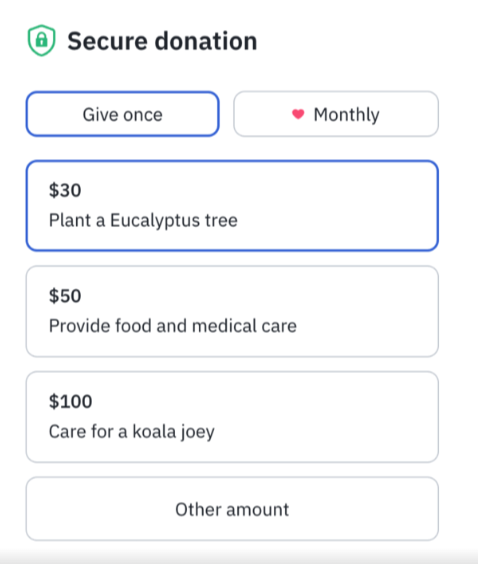
Setting up personalized Fundraise Up URLs
Fundraise Up’s URL API allows you to pre-fill information in the Checkout modal, Campaign Page or Donation Form using URL parameters. This strategy works well if you are sending traffic to your site from an email marketing campaign and dynamically setting the value of parameters using merge tags. See Fundraise UP’s documentation of the process here.
A Fundraise Up URL including the information listed above looks something like this:
To create your personalized URLs, export a list of the donors in your campaign from Dataro, including the columns shown in this template.
You can use the following formula to create your URL, using the CONCATENATE function to combine the text:
=CONCATENATE("[ORG_WEBSITE]?form=[FORM_ID]&amount=",[Dataro Ask Amount CELL],"&firstName=",[FIRSTNAME CELL],"&lastName=",[LAST NAME CELL],"&email=",[EMAIL CELL], "&recurring=",[RECURRING], "&title=",[TITLE CELL])
Make sure you replace all the cell references with their correct location. Now you should have a full spreadsheet with a custom URL for every donor. You can also save a copy of the template spreadsheet above and insert your own information; the pre-set formula will create your personalized URLs for you.
Using personalized URLs in your campaign
Using your personalized URLs will depend on the type of campaign that you are running. For a physical letter with a QR code, include the campaign URL in the data spreadsheet that you send to your agency. To use in an email campaign, you'll need to upload the URLs as a custom field to the appropriate donor records.