Deceased donors
Last updated: October 8, 2026
Dataro shows you when a donor is marked as deceased, so they are not included in outreach by mistake.
A donor can be flagged as deceased in two ways. Your CRM can record it, or ProspectAI can find public records suggesting it. Dataro shows each one differently, because they are not equally certain: your CRM is your organization's own record, while a ProspectAI finding is research that still needs to be checked.
Deceased in your CRM
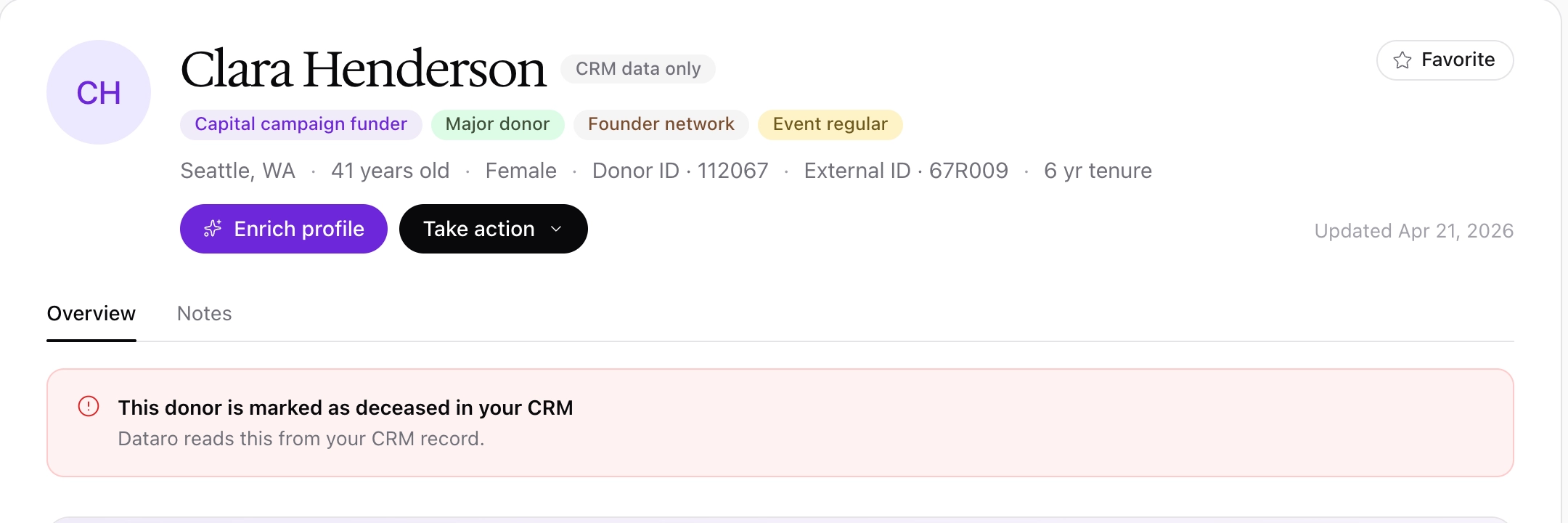
When your CRM marks a donor as deceased, a notice appears at the top of the Overview tab on the donor profile: "This donor is marked as deceased in your CRM." There is nothing to review, because the value comes from your own records.
The notice appears whether or not the donor has been researched with ProspectAI.
In the Donors table, the same donors carry a Deceased tag in the Tags column, so you can see the flag without opening each profile.
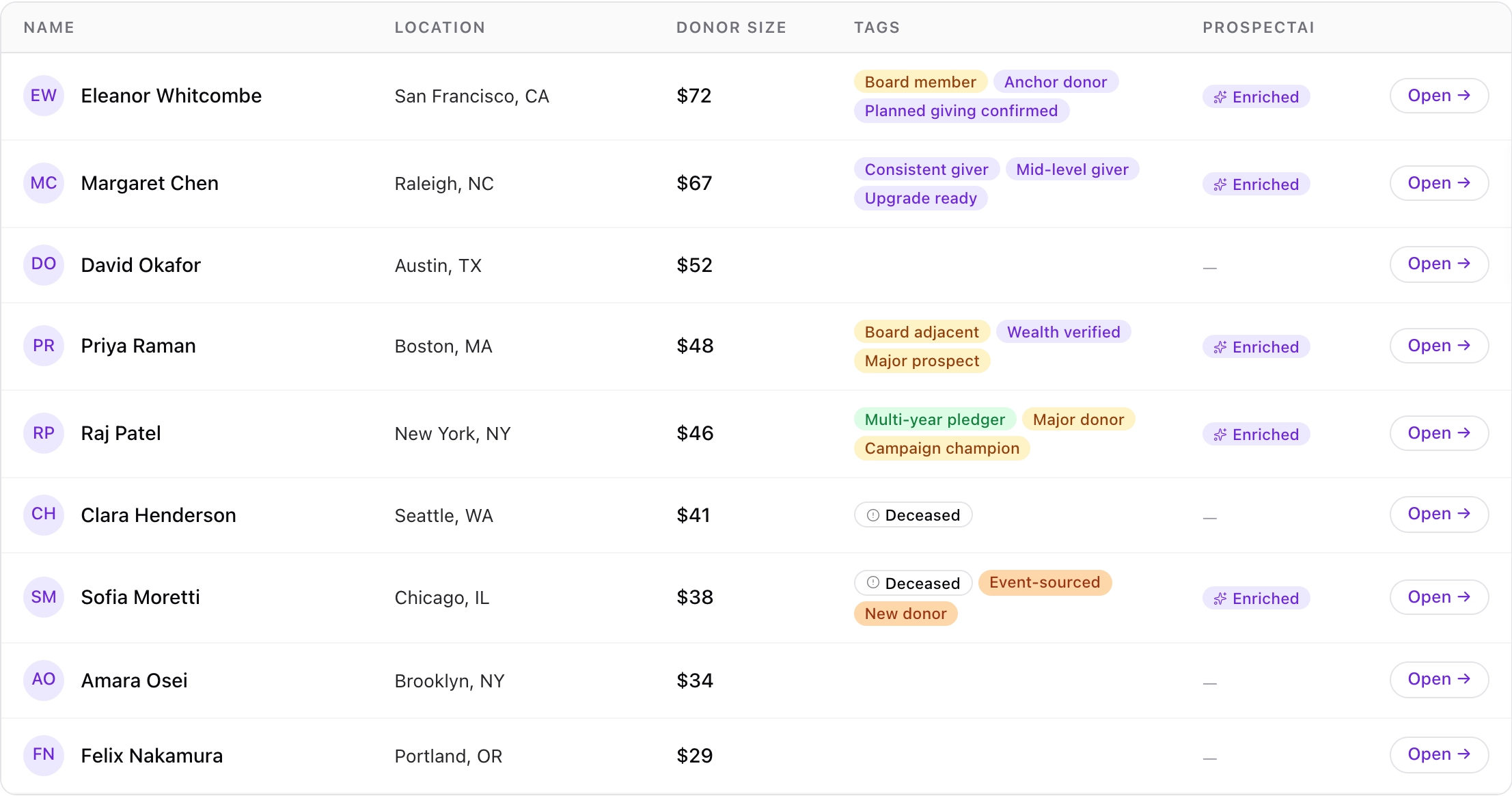
Dataro also removes donors marked as deceased in your CRM from model scores and ranks, and from the Current major and New lists on the Donors page.
Found by ProspectAI
ProspectAI looks for obituaries and other public records while it researches a donor. If it finds records suggesting the donor is deceased, and your CRM does not have them marked as deceased, a notice appears at the top of the Overview tab: "ProspectAI found records suggesting this donor is deceased."
This notice only appears on a profile that has been researched with ProspectAI. It appears on the donor profile only, not in the Donors table or in audiences.
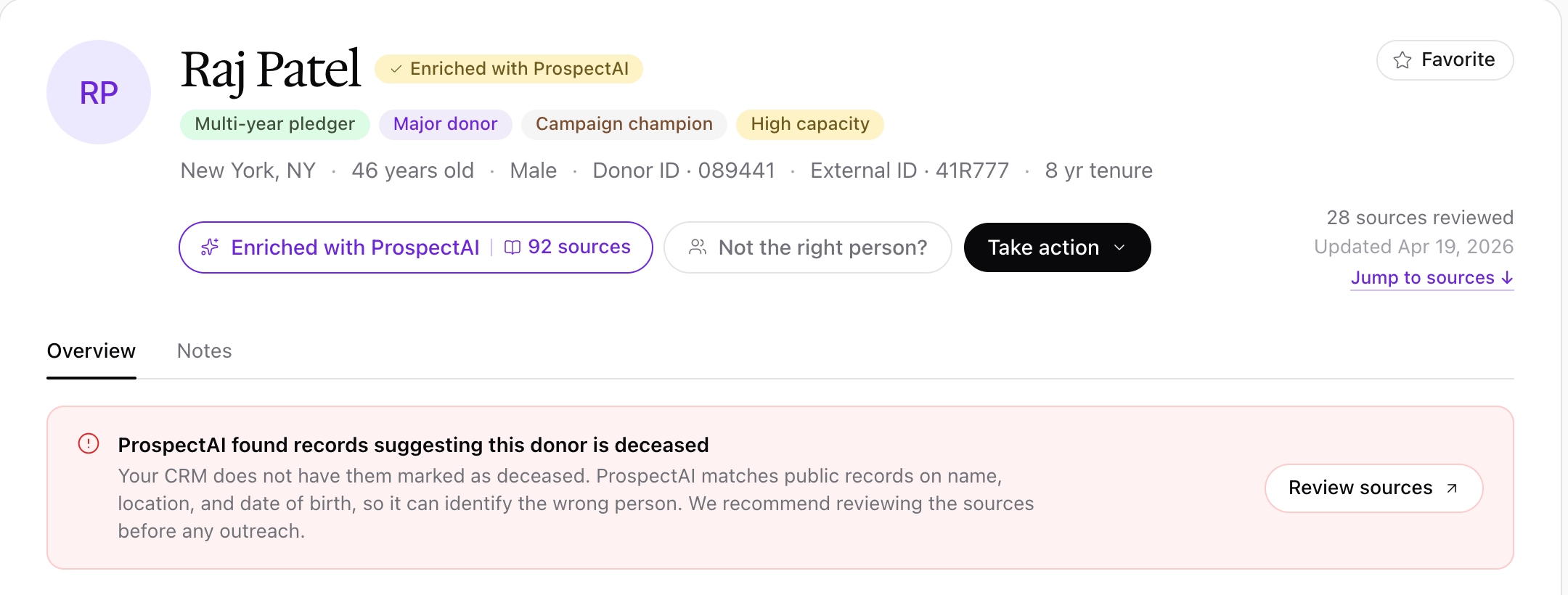
ProspectAI matches public records on name, location, and date of birth, so it can identify the wrong person. For example, an obituary for someone with the same name in the same city, with no age given, can be matched to a living donor. We recommend reviewing the sources before any outreach, because contacting a bereaved family and excluding a living donor are both costly mistakes.
To review the sources:
Click Review sources on the notice.
Read what each source matched on, for example "name and city match, age not stated", and its confidence: Strong, Moderate, or Weak.
Click accept on each source you have checked and believe refers to your donor.
Click delete on any source that refers to someone else. Deleted sources are removed when the report regenerates.
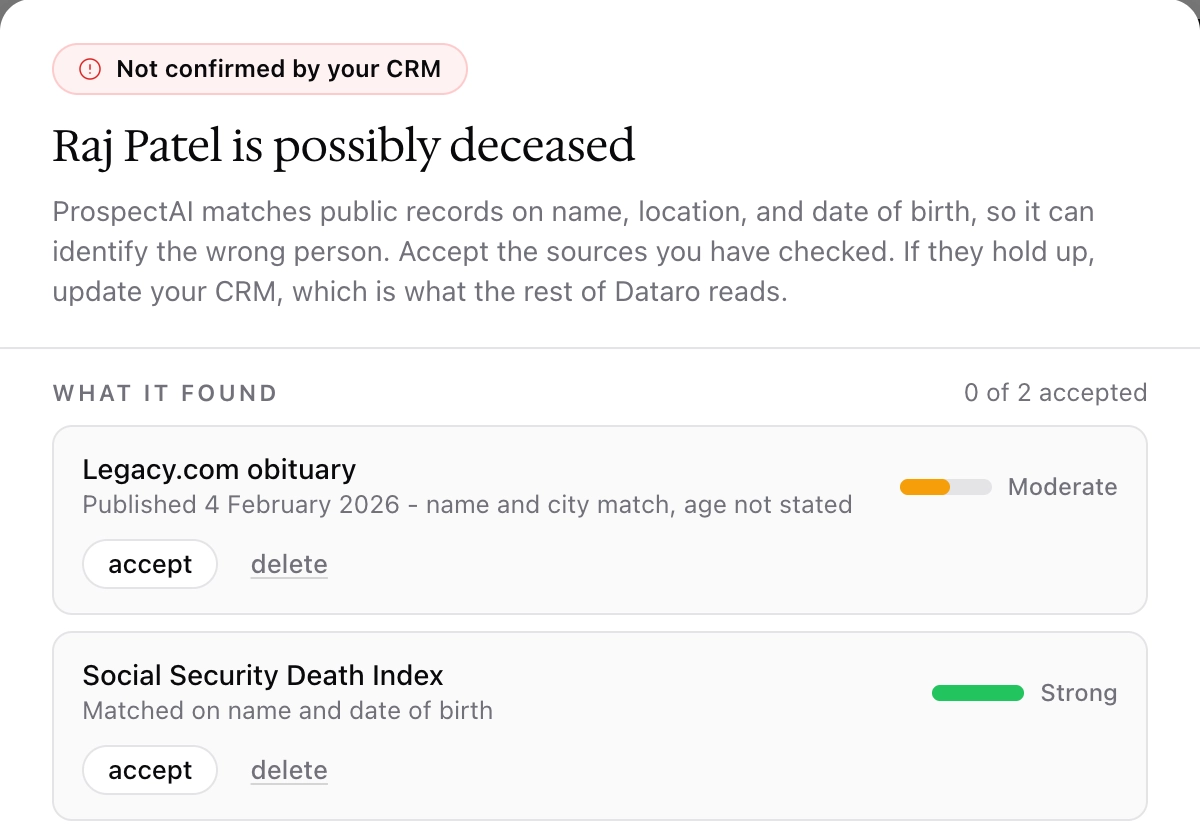
If you delete every source that supports the finding, the notice no longer appears once the report regenerates.
A ProspectAI finding does not remove the donor from scores, ranks, or lists. Only your CRM does that. If the sources hold up, update the donor's record in your CRM, and Dataro reads the change on its next sync.
Found in both
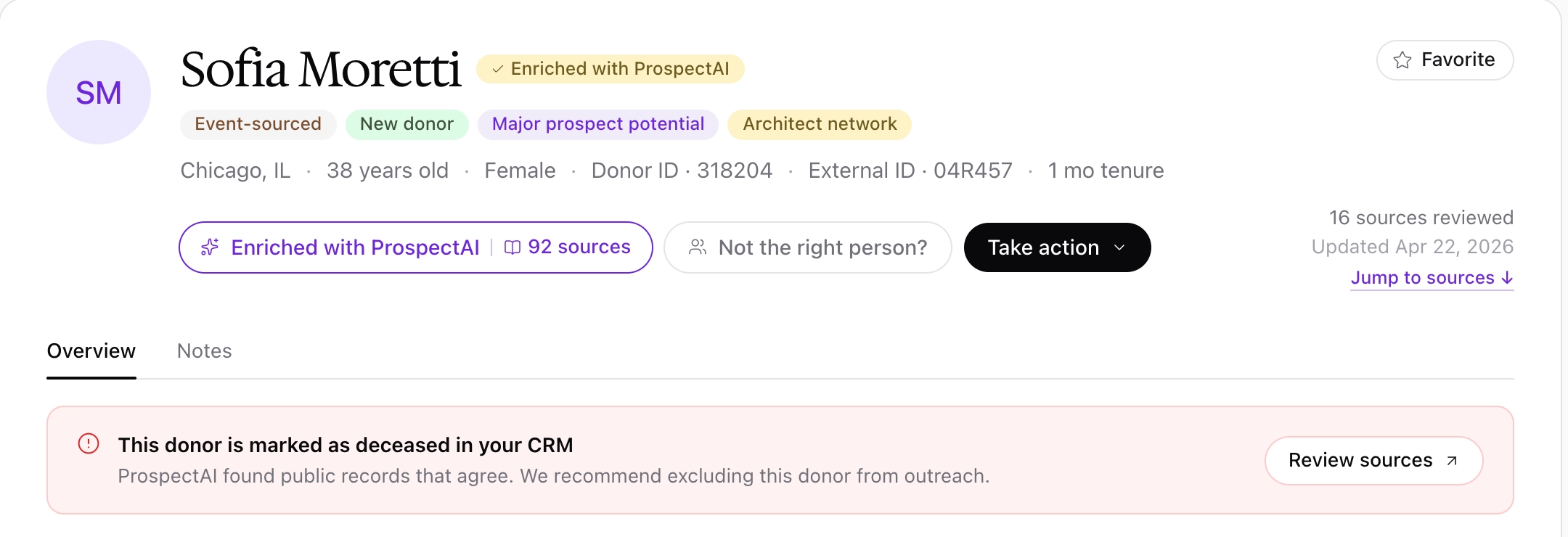
When your CRM marks a donor as deceased and ProspectAI found records that agree, the profile shows one notice rather than two: "This donor is marked as deceased in your CRM", followed by "ProspectAI found public records that agree." You can still click Review sources to see what ProspectAI found.
Frequently asked questions
Our CRM records deceased donors, but the notice never appears. Why?
Dataro reads the deceased flag from a specific field in your CRM. If that field is not mapped for your organization, or is mapped to the wrong field, no donor is shown as deceased. Contact your Customer Success Manager to check the mapping.
ProspectAI says a donor is deceased, but I know they are alive. What should I do?
Click Review sources and delete the sources that refer to someone else. Once the report regenerates without them, the notice no longer appears.
Will a deceased donor appear in a playbook or insight?
Not if your CRM marks them as deceased. Dataro removes those donors before any score or rank is shown. A donor flagged only by ProspectAI is not removed until you update your CRM.
Why can I still see deceased donors in the Donors table?
The Current major and New lists exclude them. Other views of the Donors table show your whole donor file, so donors marked as deceased appear there with a Deceased tag.